Why look past Monkey
Monkey is a capable app, and plenty of people like it. The reasons to look elsewhere are practical ones.
- It is built around a phone app and a profile, and Apple removed it from the App Store over safety concerns, according to Internet Matters.
- The first match is reported to run on a 15-second clock that both people have to extend.
- Extras such as choosing a country, unlimited matches and removing ads sit behind the Monkey Plus subscription.
If none of that bothers you, Monkey may be all you need. If you want something that runs anywhere, costs nothing to start, or works without an account, read on.
How we picked
We looked at four things: where the service runs, whether you need an account, what it costs to start, and what it says about moderation. One disclosure before the list: Monko is our own site, and FTF Live, which provides its chat, is our partner. We have put it first because it is the one we know best, not because a list written by its owners is neutral. Weigh that entry accordingly.
Monko: random chat with no setup
Monko is random video chat that runs entirely in the browser. There is no app to install and no account needed: confirm you are 18, allow your camera, and you are matched one to one. Starting a chat is free.
The video chat itself is provided by FTF Live, which says it screens connections automatically and reviews reports. Matches are random by default, with an optional paid gender filter from the chat provider. There are no group calls and no text-only mode, so it suits people who want the simplest possible version of the idea.
OmeTV: a native app with a country filter
OmeTV is a long-running service from a company in Portugal, available in a browser and as iPhone and Android apps. It adds a country filter and built-in report tools, and it usually asks you to sign in before you can match.
It is the closest thing to Monkey if what you want is a proper phone app. The same caveats apply: it is marked adults-only without checking age, and Australia's online-safety regulator notes that users may meet inappropriate behaviour at any time.
Chatroulette: the 2009 original, rebuilt
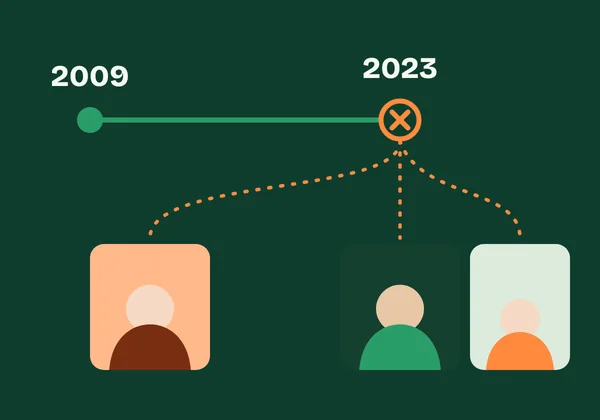
Chatroulette is where webcam roulette started. A 17-year-old in Moscow launched it in November 2009, and within months it had more than a million users. It also became famous for what people showed on camera, and it has spent much of the time since trying to fix that.
Since 2020 it has used automated nudity detection, with humans reviewing what the system flags. It runs in the browser and does not require registration. If you want the classic format with more filtering than it used to have, this is it.
Emerald Chat: interest matching with accounts
Emerald Chat goes the other way and leans on accounts. You sign in with Google, Facebook, Apple or email, and a karma-style reputation system sits on top of interest-based matching. Australia's regulator notes that a temporary account is possible but leaves most features, including matching, unavailable.
That makes it a good fit if you would rather be matched on shared interests and do not mind signing in, and a poor fit if staying anonymous is the point.
What Monkey still does better
A fair list has to say where the original wins. Monkey is the only one here built around duo and group calls, so you can bring a friend into a random match. It has profiles and message history if you want to stay in touch with someone you met. And according to Vodafone's digital-parenting guide, it scans text and video in real time and blurs incoming video when no face is detected.
If those are the features you use, none of the alternatives replaces them completely. The browser sites are simpler by design.
Quick comparison
| Service | Runs on | Account | Stands out for |
|---|---|---|---|
| Monko (ours) | Any browser | None needed to start | No install, one to one |
| OmeTV | Web, iOS, Android | Sign-in usually required | Phone apps, country filter |
| Chatroulette | Browser | Not required | The original, automated nudity filtering |
| Emerald Chat | Browser | Sign-in required to match | Interest matching, karma system |
| Monkey | Android app, web | Profile | Short timed matches, Monkey Plus |
How to choose
- You want zero setup: a browser site such as Monko or Chatroulette.
- You want a phone app: OmeTV, or Monkey itself on Android.
- You want to be matched on interests: Emerald Chat.
- You want group or duo calls: Monkey is the one built for that.
It is also reasonable to use more than one. They all take seconds to try, and how busy a service is changes with your time zone and the time of day.
Four questions to ask before you sign up anywhere
- Who runs it? A named company and a contact address are a good sign. A site with neither is a risk.
- What does free include? Check whether matching itself is free or only a trial, and what the paid tier adds.
- How do you report someone? The button should be visible during a chat, not buried in a help page.
- What is stored? Look for a plain statement about recording, screenshots and how long data is kept.
Whichever you pick
Every service on this list connects you to strangers, confirms age with a click and relies on reports to catch bad behaviour. So staying safe works the same way everywhere: stay anonymous, never send money or intimate images, and use the skip and report buttons without hesitation. An adults-only label tells you who a service is for, not who is on it.